2.2 Robot Mobile App Connection (Agibot-Go APP)

The latest app version must match the robot’s latest firmware version. Please download the correct version.


2.2.1 Download Links

iOS

  • Search the App Store for Agibot Go APP

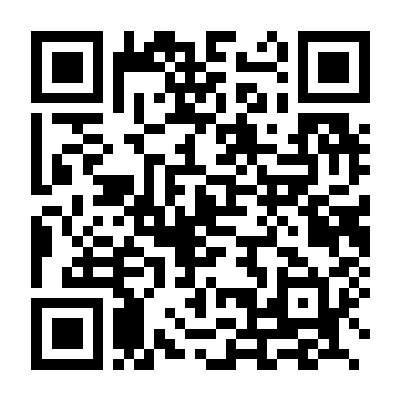
  • Scan the QR code below to download Agibot Go APP

iOS 下载二维码

Android

  • Search Android app stores for Agibot Go APP

  • Scan the QR code below to download Agibot Go APP

Android 下载二维码

Operation Steps

Add Robot

  1. Open the “Add Robot” page.

    打开添加界面

    Open the add page

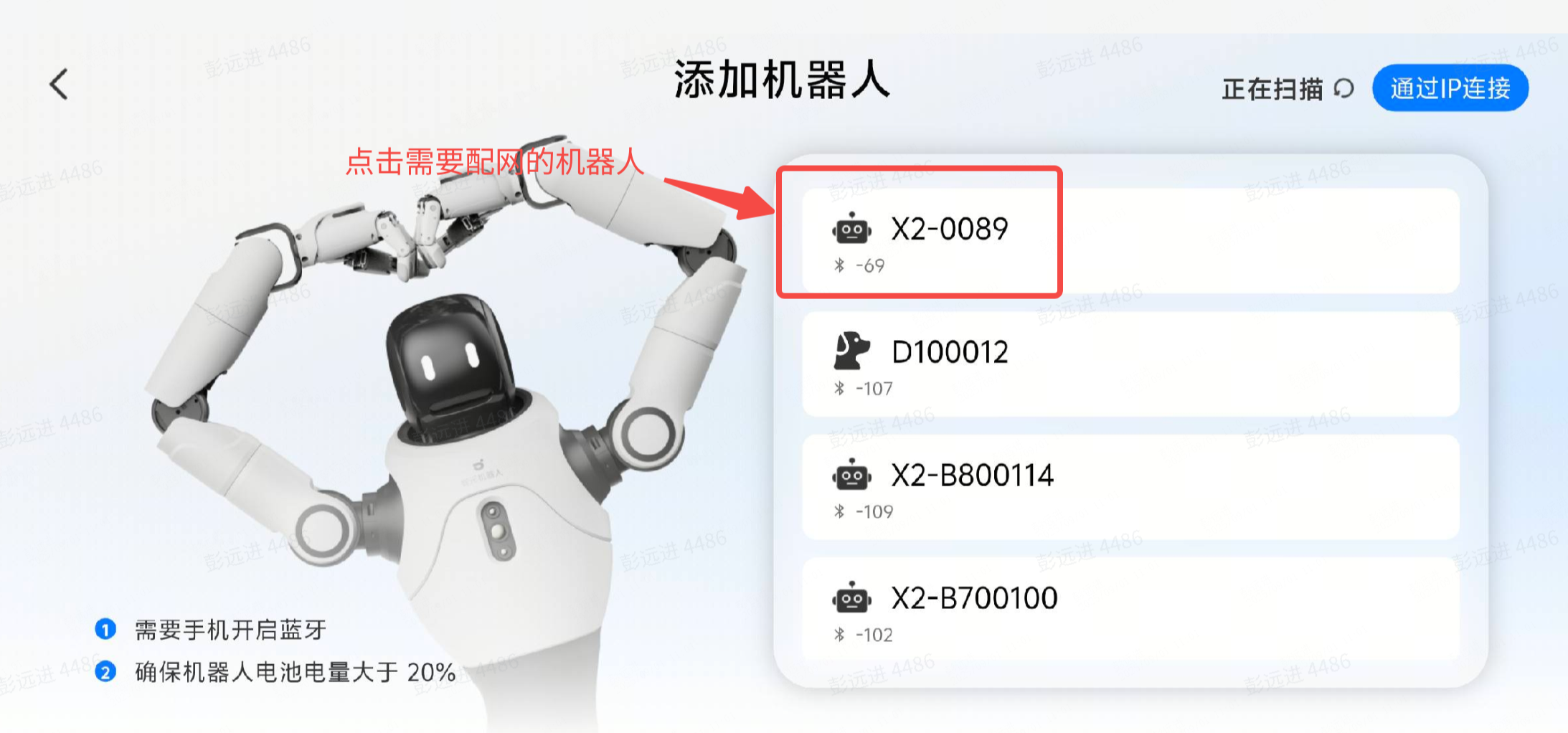
  2. Add the robot.

    添加机器人

    Add Robot


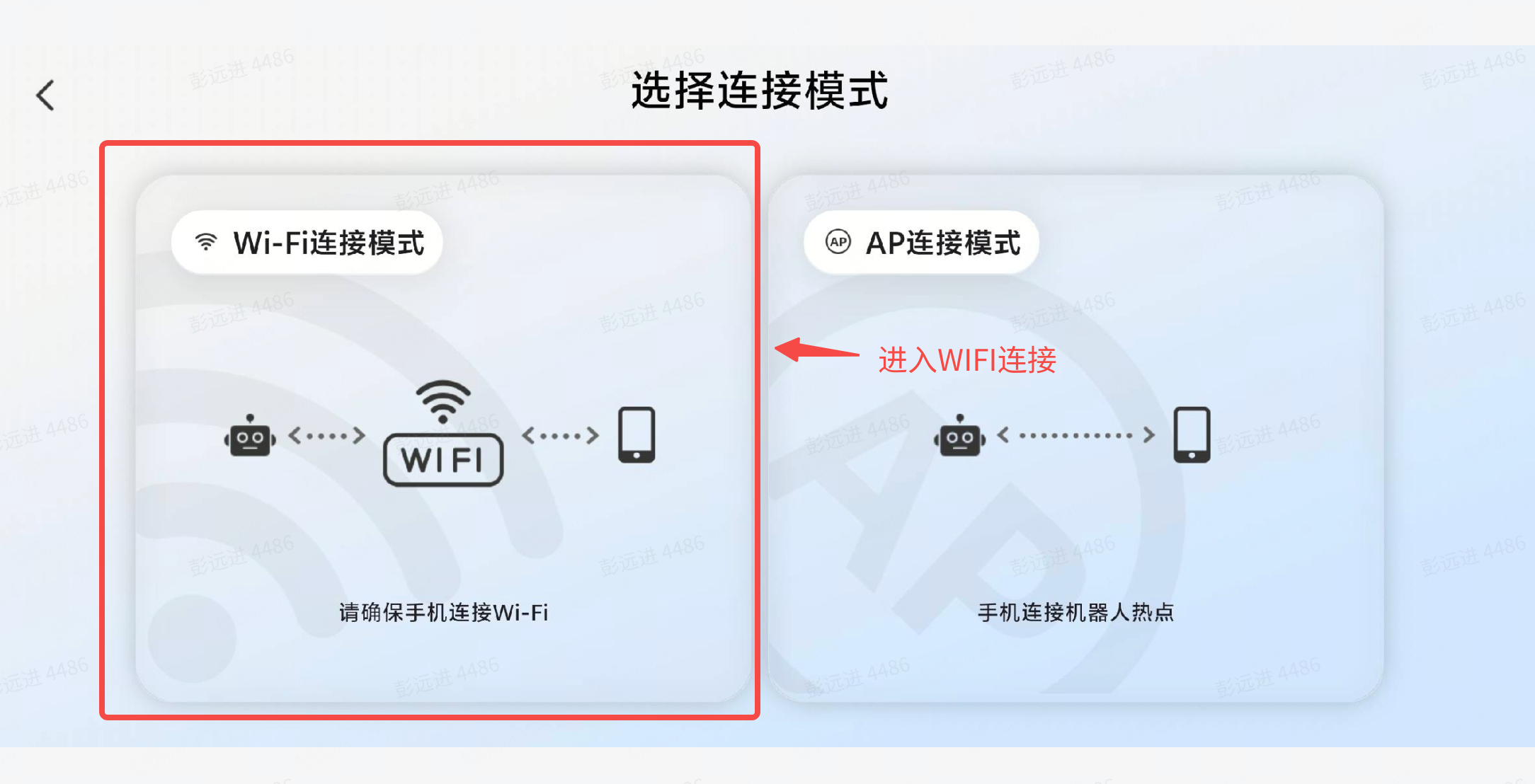
Connect to the robot via Wi-Fi

  1. Tap Wi-Fi Connection.

    Wi-Fi 连接

    Wi-Fi Connection

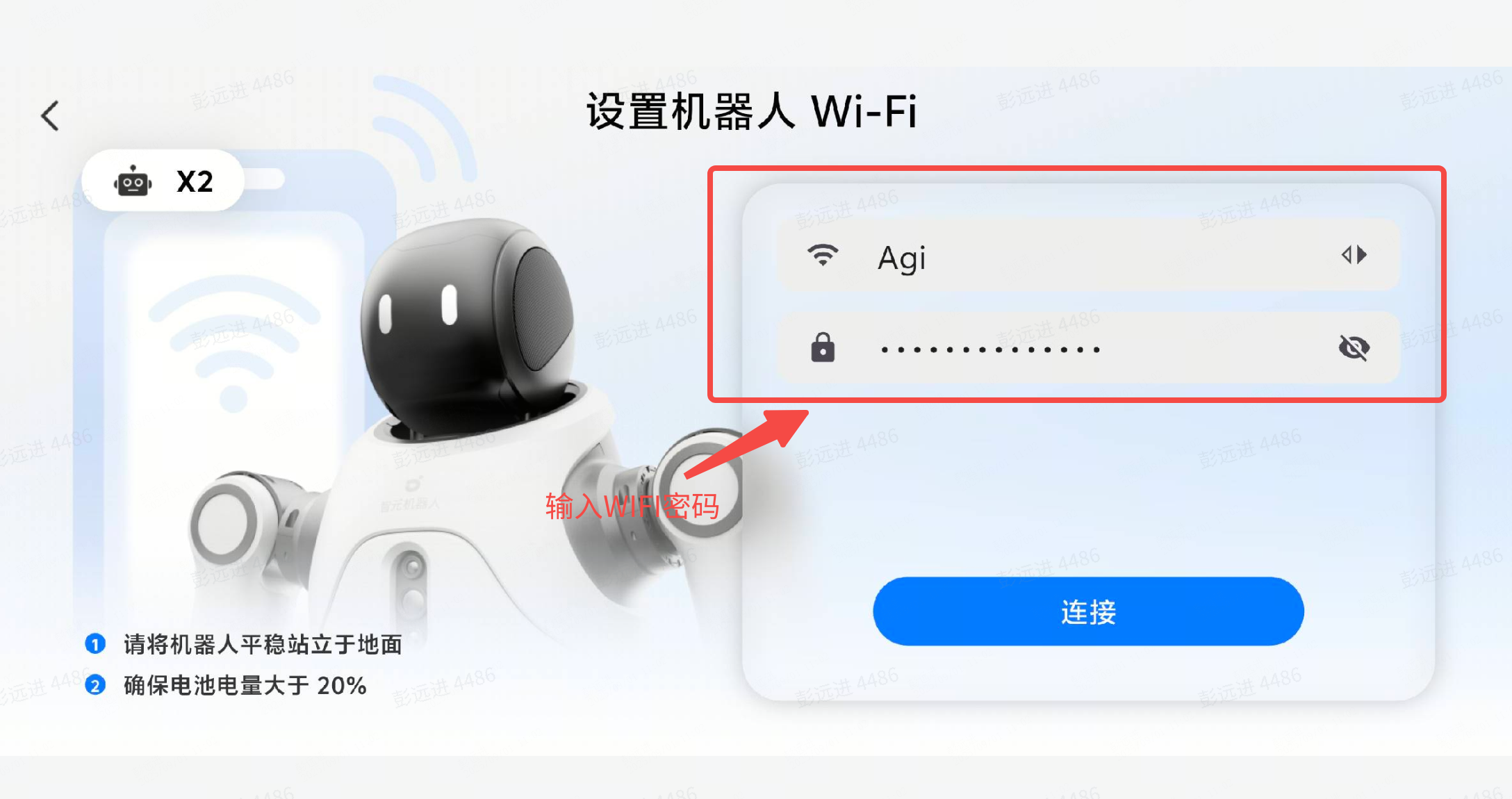
  2. Enter the Wi-Fi password.

    输入 Wi-Fi 密码

    Enter Wi-Fi password


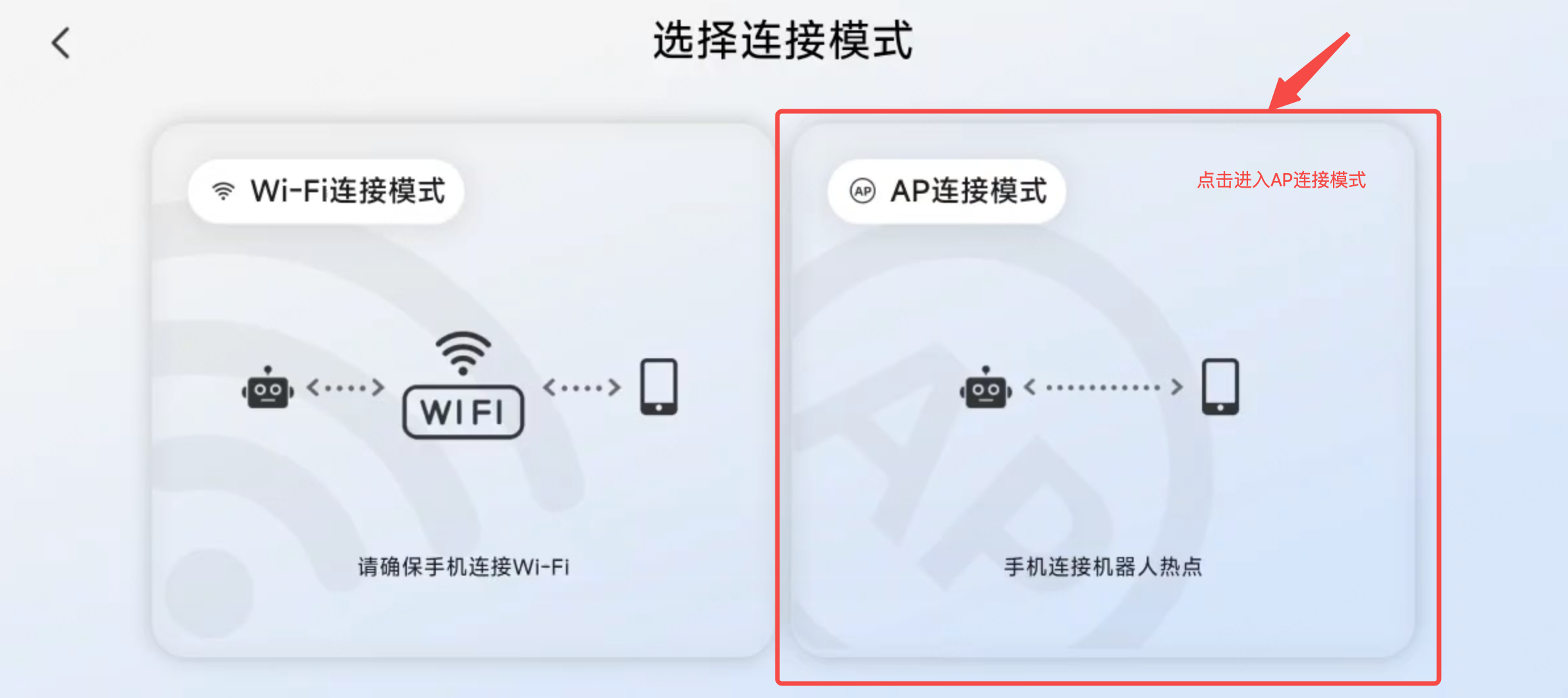
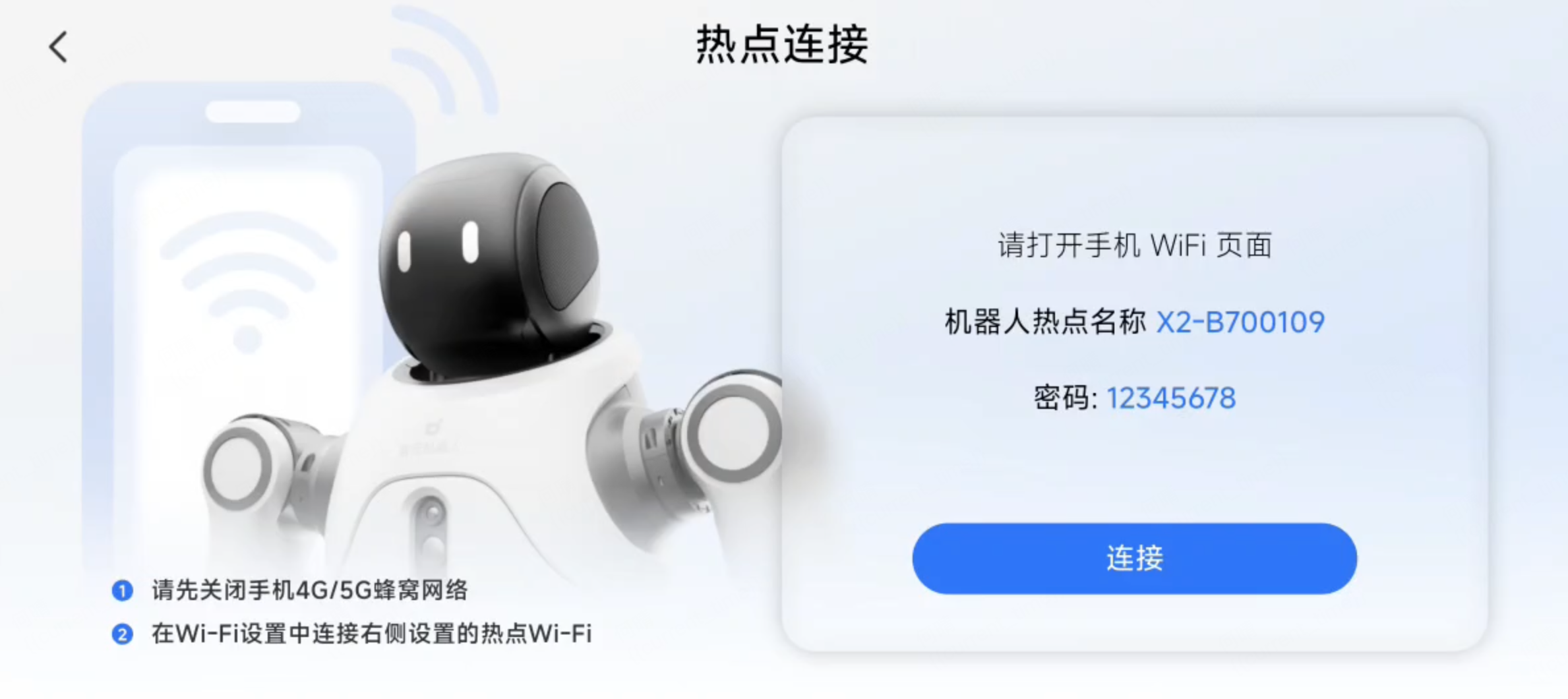
Connect to the robot via AP Hotspot

  1. Tap AP Hotspot Connection.

    AP 连接

    AP Connection

  2. Select the connection.

    选择连接

    Select connection


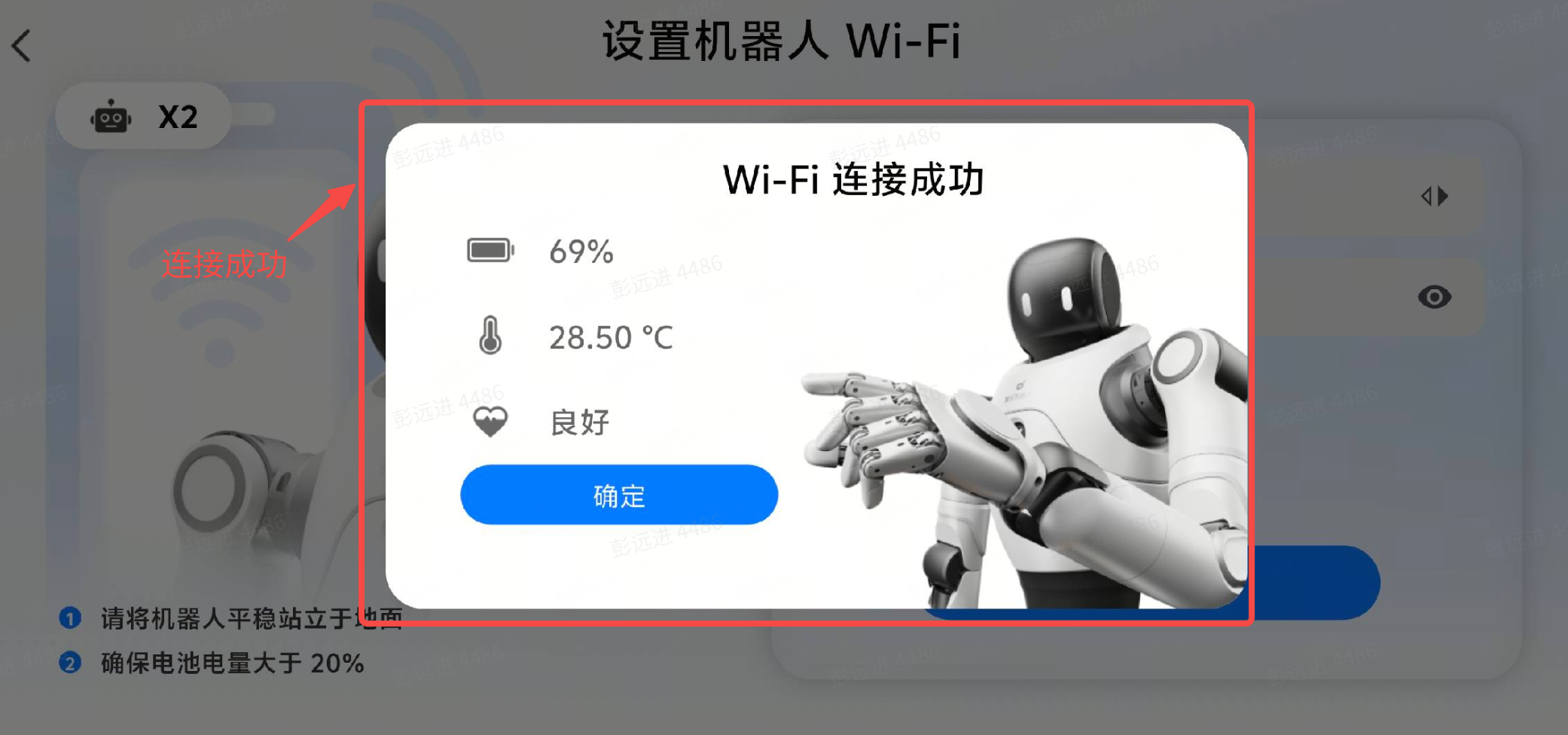
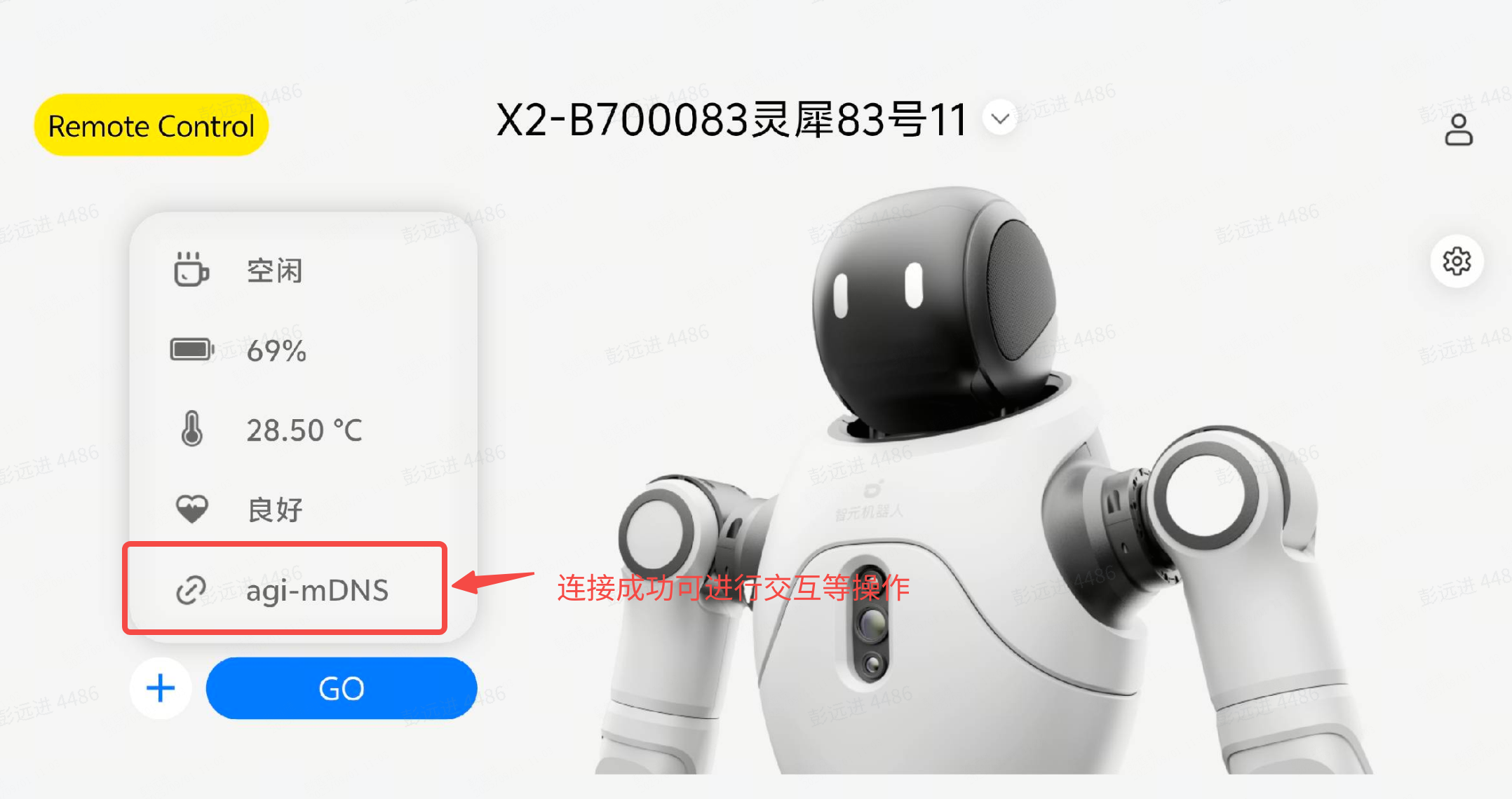
Connection Result Notification

  1. Connection successful.

    连接成功

    Connection successful

  2. Interaction available.

    可正常交互

    Interaction available