2.3 Remote Controller Connection
Note
The remote controller is pre-paired at the factory and does not require re-pairing. Simply press the central PS5-logo button to quickly establish a connection.
2.3.1 Operation Steps
1. Open the “Add Robot” page
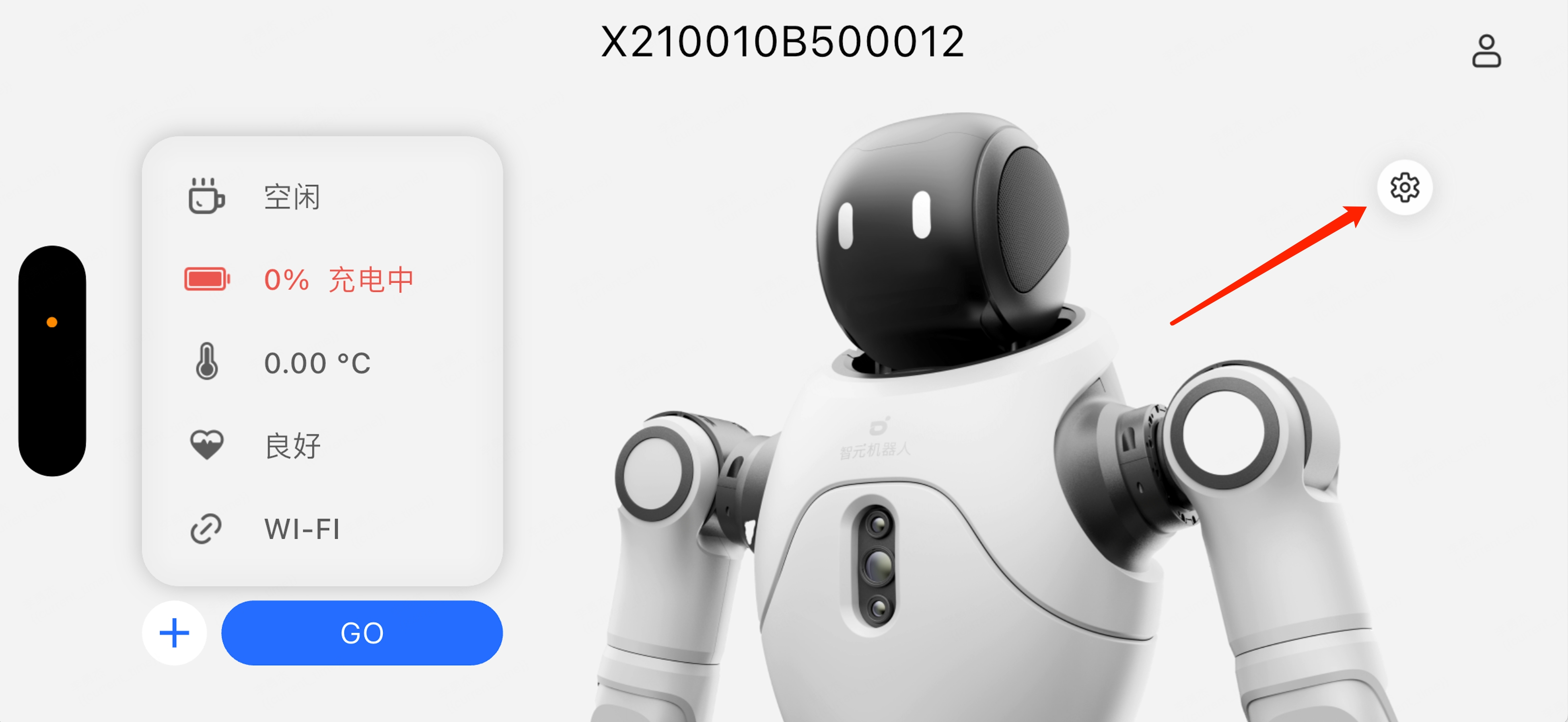
Enter the Bluetooth connection interface
2. After connecting to the robot, go to Robot Settings → Bluetooth → Select the controller to connect
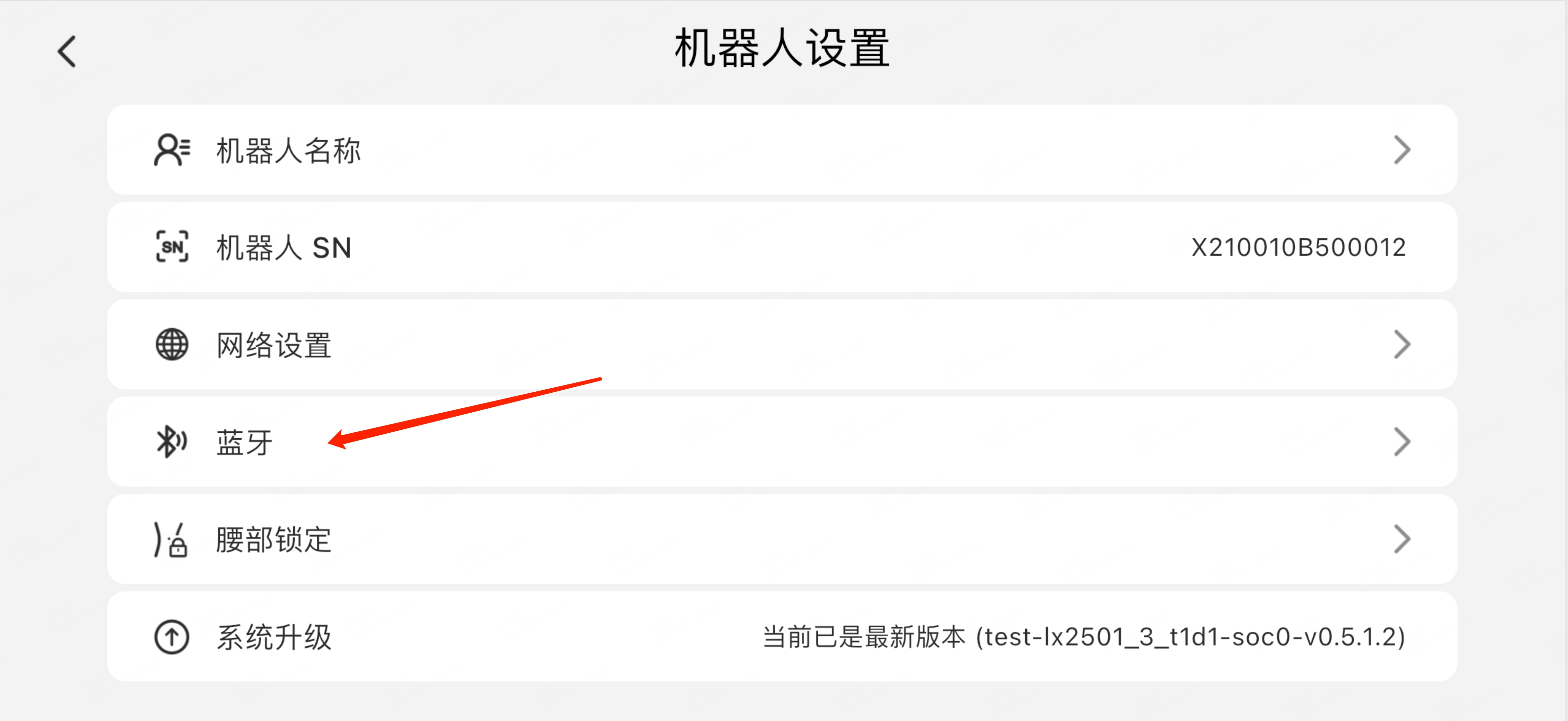
Tap Bluetooth settings
3. Select the controller and tap to connect
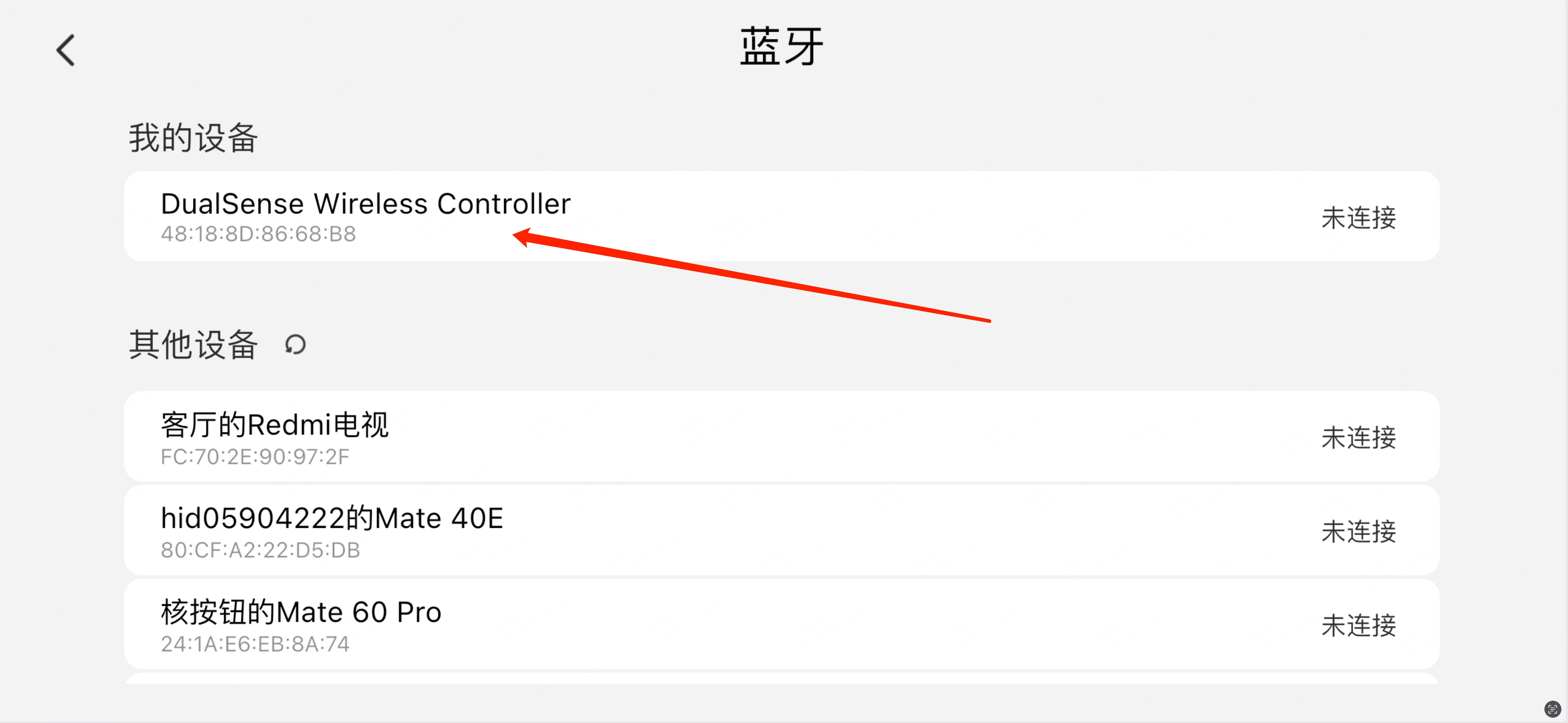
Select the controller and tap to connect